FUBBY
One program. Your language, web server, database and tools, all built in.
Developer preview, version 0.1.2, for macOS on Intel. Free to use. Experimental, and not ready for production.
class Student {
    public String name
    public List scores

    init(String name) {
        this.name = name
    }

    public func best() -> Int {
        let top = 0
        for score in this.scores {
            if score > top {
                top = score
            }
        }
        return top
    }
}

func main() {
    let asha = Student("Asha")
    asha.scores.push(72)
    asha.scores.push(91)
    print(asha.name + " scored " + asha.best())
}
Asha scored 91What Fubby is
Fubby is an object-oriented language with .fab source files. It's a single program you download, with nothing else to install, and a person can learn all of it in one course.
It's built for learning how software really works, and for small programs and local web apps that keep their data on your own computer.
Fubby
Classes, interfaces, null safety, match, exceptions, and checks that run before your program does.
Core library
Text, math, lists, maps, JSON, dates, encoding, files and regular expressions.
Bela
Run tasks at the same time on a bounded pool, and pass messages through channels.
fubby
Run, check and create projects with one command, with a VS Code plugin too.
Runtime limits
Step, time, memory and nesting limits catch runaway programs with a clear error.
Mistakes found before your program runs
Fubby checks your whole program first, including lines that would rarely run. It reports every mistake it finds with its line and column, and nothing runs until they're fixed.
This matters even more when an AI assistant writes your code, because the checker catches its mistakes the same way.
func main() {
    print("start")
    print(total)
    let Int count = "five"
    str_upper()
    nope()
}
fubby: app.fab:3:5: check error: Undefined variable: total
app.fab:4:5: check error: Type mismatch: count is Int, but the value is String
app.fab:5:5: check error: str_upper expects 1 argument(s), got 0
app.fab:6:5: check error: Unknown function: nope
4 check error(s)A web app in one file
The web server and the database are part of Fubby, so this is a complete app. Save it as app.fab, then run:
fubby snow serve app.fabOpen http://127.0.0.1:8080/, and your visit count is stored in a SQLite file next to the app.
func main() {
    let db = moon.db.sqlite.open("visits.db", {})
    db.execute("CREATE TABLE IF NOT EXISTS visits (at INTEGER)", [])
    snow.get("/", "home")
}

func home() {
    let db = moon.db.sqlite.open("visits.db", {})
    db.execute("INSERT INTO visits VALUES (?1)", [clock_unix()])
    let rows = db.query("SELECT COUNT(*) AS n FROM visits", [])
    snow.html(snow.template(
        "<h1>Hello from Fubby</h1><p>Visits: {{count}}</p>",
        {"count": rows[0]["n"]},
    ))
}
Learn it with the textbook
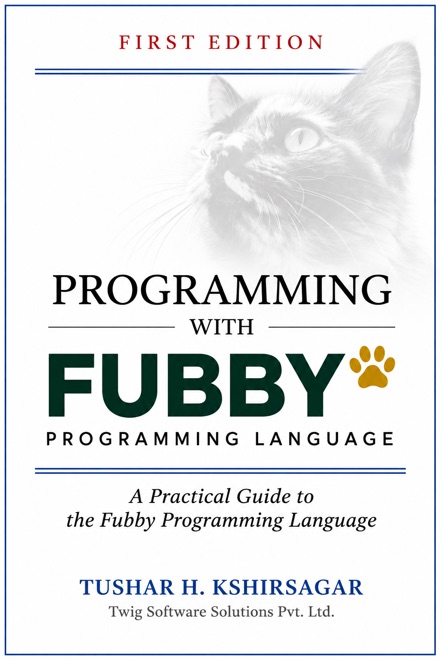
Programming with Fubby is a 160-page guide by Tushar H. Kshirsagar. Its 15 chapters follow 15 runnable projects, from a first greeting to a complete web app, with activities, a capstone project and instructor notes.
The book was written for version 0.1.0, so read what changed in 0.1.1 alongside it.
Where Fubby stands today
Ready to try
- Learning to program, using the book and examples
- Small scripts and tools you wrote yourself
- Local web apps on your own computer
Not ready for
- Production systems, or anything facing the internet
- Running programs you don't trust, because Fubby isn't a sandbox
- Windows, which is unsupported. Apple Silicon and Linux are untested